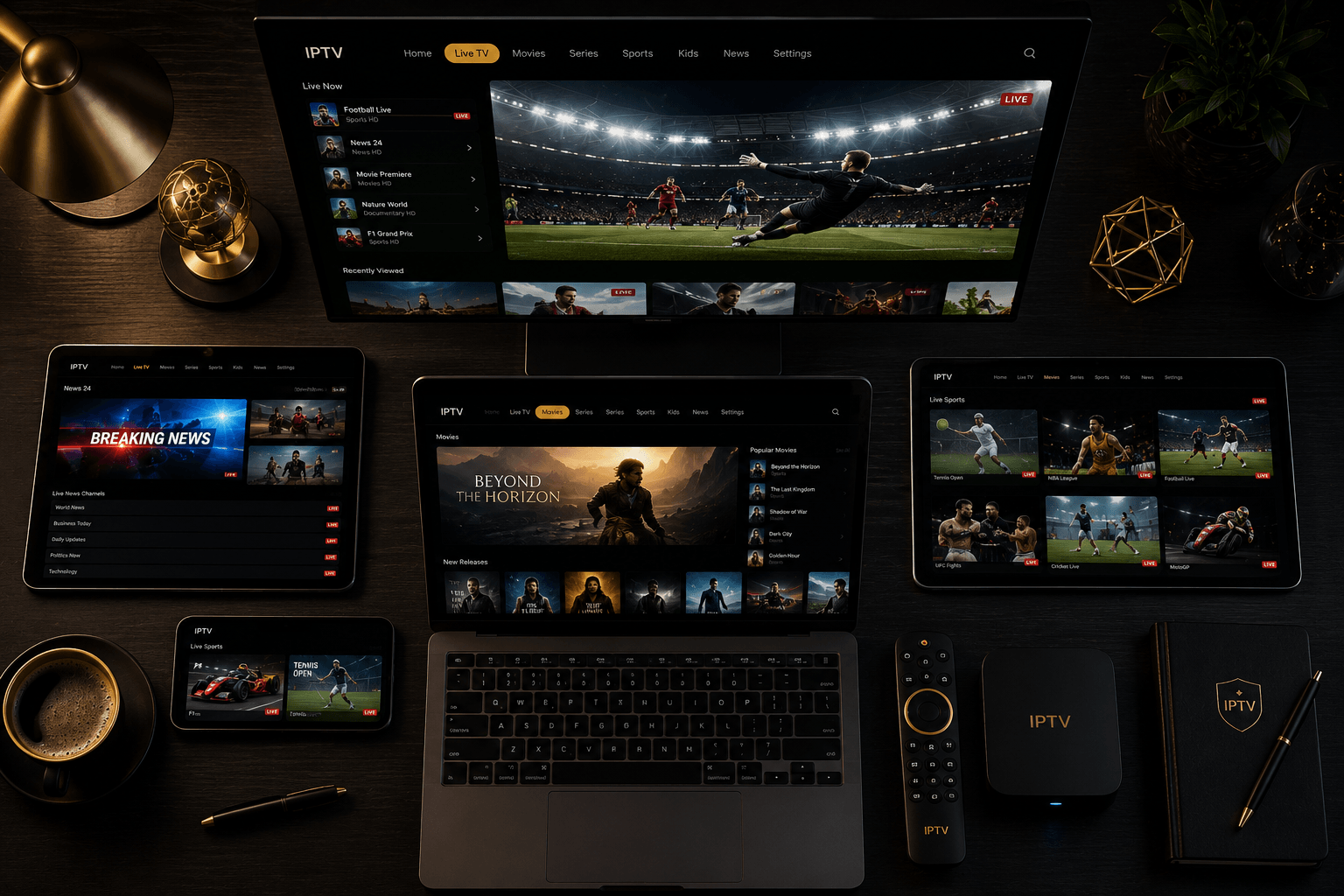
The Ultimate IPTV Guide 2026 — Everything You Need to Know
What Is IPTV? A Complete Explanation
IPTV stands for Internet Protocol Television — television delivered over the internet rather than through traditional cable, satellite or aerial. Instead of a physical signal from a broadcast tower or satellite dish, your TV content is delivered as data packets through your broadband connection, exactly like a website or a video call.
The practical result: access to 45,000+ live channels, 200,000+ on-demand movies and series, and every major sports broadcast in the world — on any device, anywhere, for a fraction of the cost of a cable or satellite subscription. In 2026, over 200 million households worldwide use IPTV as their primary television service.
How Does IPTV Work?
When you subscribe to an IPTV service, you receive three things: an M3U URL (a playlist of all available channels), an EPG URL (an electronic programme guide showing what’s on and when), and optionally Xtream Codes credentials (a server address, username and password). You enter these into an IPTV player app on your device, and the app fetches the live stream data in real time from the provider’s servers.
Modern IPTV providers use Content Delivery Networks (CDNs) with multiple redundant servers worldwide. When you play a channel, the app connects to the nearest server automatically, minimising latency and buffering. Premium providers like IPTV Elite Pro maintain 99.9% uptime through automatic failover — if one server experiences an issue, you’re switched to a backup server in under a second.
IPTV vs Cable vs Satellite vs Streaming — What’s the Difference?
- 📺 Cable TV — Physical coaxial cable to your home. Limited to your region. Average cost: £60–£100+/month. No international channels. Hardware required.
- 📡 Satellite TV — Dish required. Regional restrictions. Sky UK: £67+/month. Limited to channels with satellite rights.
- 🎬 Streaming (Netflix, Disney+) — On-demand only. No live TV. No live sports. Multiple separate subscriptions needed for full coverage.
- ✅ IPTV — Internet-delivered. 45,000+ channels worldwide. All live sports. On-demand library. No hardware. Works on every device. From €4.16/month.
What Can You Watch on IPTV in 2026?
Live Sports — Everything, No PPV Fees
IPTV Elite Pro covers every major sport and league on the planet. The key sports broadcaster channels included in the Diamond plan:
- ⚽ Football: Sky Sports PL, TNT Sports, Canal+, beIN Sports, DAZN, RMC Sport, ARD/ZDF, TRT — Premier League, Champions League, Bundesliga, La Liga, Serie A, Ligue 1, World Cup 2026
- 🏈 American Sports: ESPN, ESPN2, FS1, TNT Sports, TSN, Sportsnet — NFL, NBA, MLB, NHL
- 🥊 UFC & Boxing: ESPN PPV, TNT Sports Box Office, DAZN — every PPV with no extra fees
- 🌎 Formula 1: Sky Sports F1, Canal+ F1 — every Grand Prix, qualifying and practice
- 🏏 Cricket: Sky Sports Cricket, Willow, Sony Six — Tests, ODIs, T20Is, IPL
- 🏌 Golf: Sky Sports Golf, Golf Channel, beIN Sports — Majors, Ryder Cup, PGA Tour
Live TV Channels — Every Country
Beyond sports, IPTV Elite Pro carries the complete free-to-air and pay TV lineup from 80+ countries:
- 🇬🇧 UK: BBC One/Two/Three/Four, ITV1/2/3, Channel 4, Channel 5, Sky Atlantic, TNT Sports 1–4
- 🇫🇷 France: TF1, M6, France 2/3/4/5, Canal+, beIN Sports, RMC Sport, Arte
- 🇩🇪 Germany: ARD, ZDF, RTL, Pro7, Sky DE, DAZN, Sport1, Eurosport
- 🇹🇷 Turkey: TRT 1/2/3, beIN Sports TR, S Sport, ATV, Show TV, Kanal D
- 🇺🇸 USA: ABC, NBC, CBS, FOX, ESPN, CNN, MSNBC, HBO, Showtime
- ️ + 75 more countries including Italy, Spain, Netherlands, Belgium, Poland, Arabic, Turkish, Persian and more
On-Demand — 200,000+ Movies and Series
IPTV Elite Pro’s VOD library contains over 200,000 movies and series updated weekly. Organised by genre, country, year and language, it covers Hollywood blockbusters, international cinema, complete TV series box sets, documentaries and children’s content. Unlike Netflix, the VOD library is included in your subscription at no extra cost and requires no separate logins.
Best IPTV Apps in 2026 — Ranked by Device
Firestick & Android TV — TiviMate
TiviMate is the gold standard IPTV player for Fire TV and Android TV in 2026. Full 7-day EPG, instant channel switching, Picture-in-Picture multi-stream, catch-up support, and a built-in recording function. Setup: sideload via Downloader app, enter your M3U URL, add your EPG URL. Done in 5 minutes. See our full TiviMate setup guide.
Samsung Smart TV — SS IPTV
SS IPTV is free from the Samsung Smart Hub app store — no sideloading, no Firestick needed. Supports M3U and Xtream Codes, full EPG, 4K HDR on QLED and Neo QLED models. Works on Tizen OS (2016+).
LG Smart TV — Smart IPTV
Smart IPTV is available from the LG Content Store. Setup requires entering your M3U URL via siptv.app on a PC or phone, then loading it on your TV via the MAC address. One-time fee of ~€5.49 per device. Works on webOS 3.0+ (2016+).
iPhone & iPad — IPTV Smarters Pro
IPTV Smarters Pro is free on the App Store, supports M3U and Xtream Codes, full EPG, 4K streams, VOD browser and Picture-in-Picture on iPad. No jailbreak required.
Android — TiviMate or IPTV Smarters Pro
Both apps are available on Android. TiviMate is the superior experience if your device supports it. IPTV Smarters Pro is the most universally compatible option and installs directly from the Play Store.
How to Choose the Right IPTV Service in 2026
The IPTV market has hundreds of providers. Most are resellers of unstable streams from overloaded servers. Here’s what separates a genuinely premium service from a cheap alternative that’ll fail during a Champions League final:
- ✅ Free trial with no credit card — any serious provider lets you test before paying. If they demand payment upfront, walk away.
- ✅ 99%+ uptime SLA — test during a live Premier League match. Budget services buffer constantly during peak events.
- ✅ Genuine 4K streams — not upscaled SD labelled as HD. Test on a 4K TV with a 4K HDR channel.
- ✅ Full EPG — a complete 7-day programme guide for all major channels, not just a channel list.
- ✅ 24/7 support — WhatsApp or live chat with sub-5-minute response. Email-only support with 48hr delays is a red flag.
- ✅ 30-day money-back guarantee — confidence in service quality.
IPTV Setup — Step by Step for Any Device
Regardless of device, the setup process follows the same pattern:
- Step 1: Subscribe to IPTV Elite Pro and start your free trial
- Step 2: Receive your M3U URL, EPG URL and Xtream Codes credentials via email
- Step 3: Download the appropriate IPTV app for your device (TiviMate, SS IPTV, IPTV Smarters Pro)
- Step 4: Enter your M3U URL into the app’s playlist section
- Step 5: Add your EPG URL for the full programme guide
- Step 6: Browse 45,000+ channels, set reminders for live sports, explore the VOD library
Total setup time: under 10 minutes on any device.
Internet Speed Requirements for IPTV
- 📶 SD (Standard Definition): 5 Mbps minimum
- 📺 HD (720p): 10 Mbps recommended
- 📺 Full HD (1080p): 15–20 Mbps recommended
- 🌢 4K HDR: 25–30 Mbps recommended
- 🌌 8K: 50+ Mbps recommended
Most broadband connections in Europe and North America comfortably exceed these requirements. For the most stable 4K experience, a wired Ethernet connection is preferable to Wi-Fi. The Amazon Firestick 4K Max supports Wi-Fi 6E, which is effectively equivalent to wired for IPTV purposes.
IPTV Pricing Guide 2026 — What to Expect
IPTV Elite Pro offers four pricing tiers to suit every usage pattern:
- 💳 Monthly (€9.99–15.99/mo): Ideal for testing or short-term use (e.g. World Cup only). No commitment.
- 📅 Quarterly (€19.99–24.99): Good mid-term option, ~33–47% saving over monthly.
- 🏆 Annual (€49.99–59.99/yr): Best everyday value. Diamond annual at €59.99 is €5/month — 69% cheaper than monthly.
- 🔥 Lifetime (€199 once): Best long-term value. Breaks even vs annual in 3.3 years, then free forever.
How to Switch from Cable or Satellite to IPTV
Switching from a traditional TV provider to IPTV is straightforward when done in the right order. The cardinal rule: test IPTV first, cancel cable second.
- ✅ Step 1 — Start the free trial: Activate IPTV Elite Pro’s free trial (no credit card). Test the specific channels you care about most — live sport, your local news channels, your language cluster — during actual broadcast times.
- ✅ Step 2 — Test at peak time: Watch a live Premier League, NFL or Bundesliga match. If the stream holds up without buffering during the busiest sporting hour of the week, you’re good to switch.
- ✅ Step 3 — Check your provider’s notice period: Most cable and satellite providers require 30 days’ notice (Sky UK: 31 days; Rogers/Bell Canada: 30 days; Foxtel Australia: 31 days for satellite; DAZN: end of billing month). Submit your cancellation before the next billing date.
- ✅ Step 4 — Return equipment if required: Cable set-top boxes, satellite decoders and routers are typically rented. Return them within the timeframe specified by your provider to avoid additional charges.
- ✅ Step 5 — Activate your IPTV subscription: Once satisfied, choose your IPTV Elite Pro plan. Diamond annual (€59.99/year) is the best value for full-time use. Activation is instant after payment.
Complete Guide Index — All Topics Covered
IPTV Service Reviews
- 🏆 Best IPTV Service 2026 — top picks tested and ranked
- 🌌 Best 4K IPTV Service 2026
- 🔥 IPTV Lifetime Subscription 2026 — is it worth it?
Device Setup Guides
Sports Guides
- 🌎 World Cup 2026 on IPTV — all 104 matches
- ⚽ Premier League on IPTV
- 🏆 Champions League on IPTV
- 🏈 NFL on IPTV
- 🥊 UFC on IPTV — no PPV fees
- ⚽ Bundesliga on IPTV
Country Guides
- 🇬🇧 Best IPTV UK 2026
- 🇺🇸 Best IPTV USA 2026
- 🇨🇦 Best IPTV Canada 2026
- 🇦🇺 Best IPTV Australia 2026
- 🇩🇪 IPTV kaufen Deutschland 2026
- 🇨🇭 Bestes IPTV Schweiz 2026
- 🇦🇹 Bestes IPTV Österreich 2026
- 🇫🇷 Meilleur IPTV France 2026
- 🇹🇷 IPTV Satın Al Türkiye 2026
Comparisons
- 🔄 IPTV vs Sky TV 2026 — save over £1,000/year
- 🔄 IPTV vs Canal+ 2026
- 🔄 IPTV vs DAZN 2026
- 🔄 IPTV vs Cable TV 2026
Frequently Asked Questions — IPTV 2026
What is the best IPTV service in 2026?
IPTV Elite Pro is the top-rated IPTV service in 2026, based on channel count (45,000+), stream stability (99.9% uptime), picture quality (genuine 4K/8K HDR), device support (all platforms) and 24/7 support responsiveness. The Diamond annual plan at €59.99/year offers the best overall value.
Do I need a Firestick for IPTV?
No. IPTV works on Samsung and LG Smart TVs (via SS IPTV and Smart IPTV), iPhone and iPad (IPTV Smarters Pro), Android phones and tablets, PC and Mac (VLC or browser), and any Android TV box. A Firestick is the most popular choice because TiviMate runs flawlessly on it, but it’s entirely optional.
How much internet speed do I need for IPTV?
A minimum of 10 Mbps for HD, 20 Mbps for Full HD, and 25–30 Mbps for 4K HDR. Most broadband connections in Europe and North America easily exceed these requirements. Any standard fibre or cable broadband package is more than sufficient for 4K IPTV streaming.
Can I watch the World Cup 2026 on IPTV?
Yes. All 104 matches of the FIFA World Cup 2026 (June 11 – July 19) are available through IPTV Elite Pro via BBC, ITV, TF1, Fox Sports, beIN Sports, ARD, ZDF, TRT and 30+ additional broadcasters with rights to the tournament. See the full World Cup 2026 on IPTV guide.
Is there a free trial for IPTV Elite Pro?
Yes. IPTV Elite Pro offers a free trial with no credit card required, giving full access to the Diamond library — 45,000+ channels, 200,000+ VOD and all sports — so you can verify quality, test stream stability and explore the EPG before committing to any paid plan.